
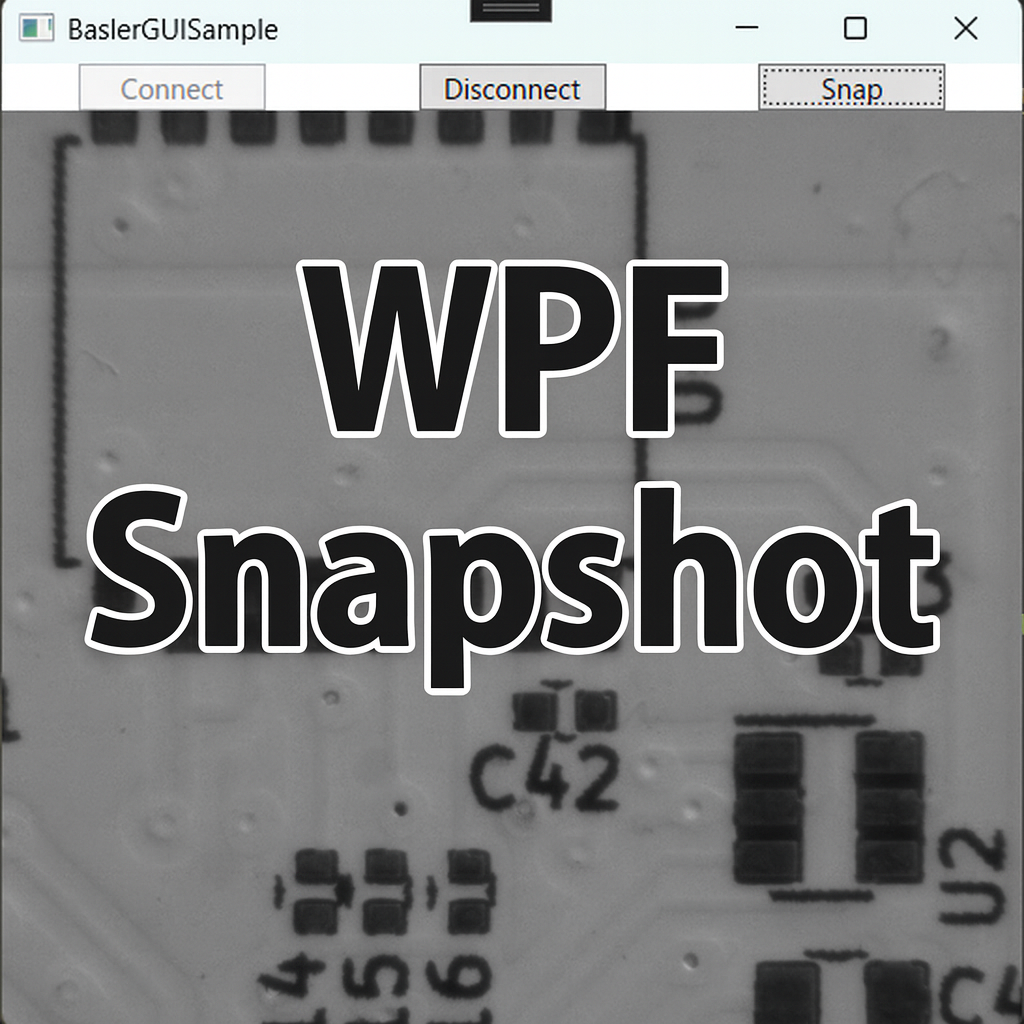
“You have working code, but you want to preview images in a GUI as quickly as possible.”
As a first step, this article builds a minimal WPF viewer with three buttons: Connect / Disconnect / Snap.
With a single click, the app captures one frame and displays it in a WPF Image control.
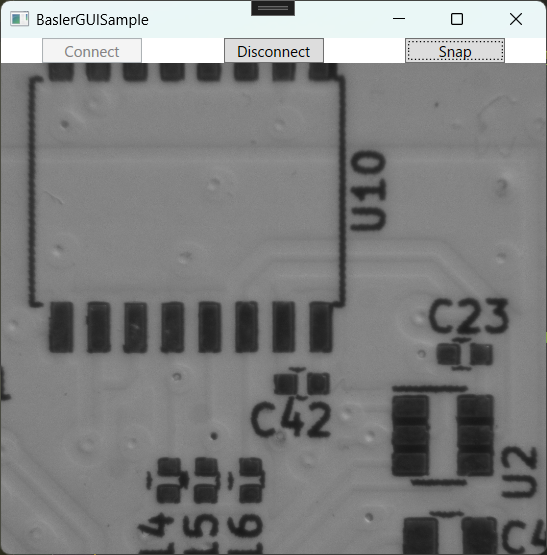
Goal
- Operate the camera using three buttons:
Connect/Disconnect/Snap - Display the snapped frame in an
Image - Ensure the camera is properly disconnected and disposed on exit (avoid resource leaks)
Project Structure
We reuse the existing BaslerCameraSample (class library) created in earlier articles (e.g., software-trigger capture) and add a new WPF application project BaslerGUISample, referencing that library.
View (XAML)
Place three buttons and an Image preview.
|
1 2 3 4 5 6 7 8 9 10 11 12 13 14 15 16 17 18 19 20 21 22 23 24 25 26 27 28 29 30 31 32 33 34 |
Window x:Class=“BaslerGUISample.MainWindow” xmlns=“http://schemas.microsoft.com/winfx/2006/xaml/presentation” xmlns:x=“http://schemas.microsoft.com/winfx/2006/xaml” xmlns:d=“http://schemas.microsoft.com/expression/blend/2008” xmlns:mc=“http://schemas.openxmlformats.org/markup-compatibility/2006” xmlns:local=“clr-namespace:BaslerGUISample” mc:Ignorable=“d” Title=“BaslerGUISample” Height=“450” Width=“450” Closing=“Window_Closing”> <Grid> <Grid.RowDefinitions> <RowDefinition Height=“Auto”/> <RowDefinition Height=“*”/> </Grid.RowDefinitions> <Grid.ColumnDefinitions> <ColumnDefinition Width=“*”/> <ColumnDefinition Width=“*”/> <ColumnDefinition Width=“*”/> </Grid.ColumnDefinitions> <Grid Grid.Row=“0” Grid.Column=“0”> <Button Content=“Connect” Width=“80” Margin=“4,0” Command=“{Binding ConnectCommand}”/> </Grid> <Grid Grid.Row=“0” Grid.Column=“1”> <Button Content=“Disconnect” Width=“80” Margin=“4,0” Command=“{Binding DisconnectCommand}”/> </Grid> <Grid Grid.Row=“0” Grid.Column=“2”> <Button Content=“Snap” Width=“80” Margin=“4,0” Command=“{Binding SnapCommand}”/> </Grid> <Grid Grid.Row=“1” Grid.Column=“0” Grid.ColumnSpan=“3”> <Image x:Name=“PreviewImage” Source=“{Binding CurrentFrame}” Stretch=“UniformToFill”/> </Grid> </Grid> </Window> |
Designer view example:
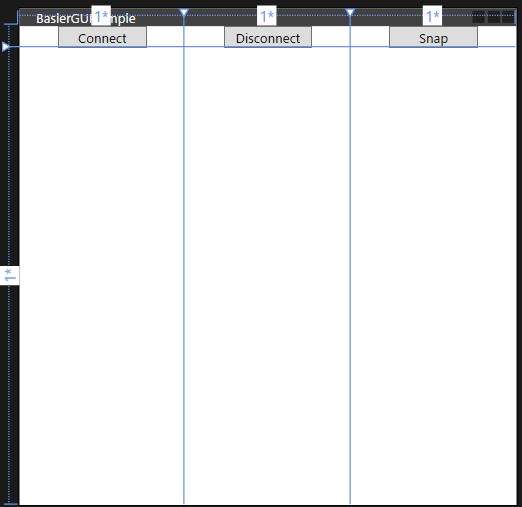
In code-behind, set
DataContext = new MainViewModel();and make sure the camera disconnects inWindow_Closing(shown later).
ViewModel
- Any MVVM base is fine (
BindableBase/DelegateCommandare user-defined in this article; implementation omitted) - Use the existing
BaslerCameraSamplefor connect/snap/disconnect - Bind
CurrentFrame(BitmapSource) toImage.Source - If the UI freezes while connecting, consider making
Connectasynchronous later
|
1 2 3 4 5 6 7 8 9 10 11 12 13 14 15 16 17 18 19 20 21 22 23 24 25 26 27 28 29 30 31 32 33 34 35 36 37 38 39 40 41 42 43 44 45 46 47 48 49 50 51 52 53 54 55 56 57 58 59 60 61 62 63 64 65 66 67 68 69 70 71 72 73 |
using BaslerSamples; // The author implements BindableBase and DelegateCommand under a Common namespace. // Please adapt to your own environment. // using Common; using System; using System.ComponentModel; using System.Windows; using System.Windows.Media.Imaging; namespace BaslerGUISample.ViewModels { public partial class MainViewModel : BindableBase { private readonly BaslerCameraSample _cameraService = new(); public MainViewModel() { ConnectCommand = new DelegateCommand(Connect, () => !IsConnected); DisconnectCommand = new DelegateCommand(Disconnect, () => IsConnected); SnapCommand = new DelegateCommand(Snap, () => IsConnected); Connect(); // Call this if you want to auto-connect at startup } private bool _isConnected; public bool IsConnected { get => _isConnected; set { SetProperty(ref _isConnected, value); } } private BitmapSource? _currentFrame; public BitmapSource? CurrentFrame { get => _currentFrame; set => SetProperty(ref _currentFrame, value); } public DelegateCommand ConnectCommand { get; } public DelegateCommand DisconnectCommand { get; } public DelegateCommand SnapCommand { get; } public void Connect() { IsConnected = _cameraService.Connect(); } /// <summary> /// Disconnects the camera. /// </summary> public void Disconnect() { _cameraService.Disconnect(); IsConnected = _cameraService.IsConnected; } public void Snap() { try { CurrentFrame = _cameraService.SnapToBitmapSource(); } catch (InvalidOperationException ex) { // Show a message box when the camera is not connected. MessageBox.Show($“Failed to snap. Error: {ex.Message}”); } } } } |
(Reference) MainWindow Code-Behind
|
1 2 3 4 5 6 7 8 9 10 11 12 13 14 15 16 17 18 19 |
public partial class MainWindow : Window { private readonly MainViewModel _viewModel; public MainWindow() { InitializeComponent(); _viewModel = new MainViewModel(); DataContext = _viewModel; } /// <summary> /// Disconnect the camera before the window closes. /// </summary> private void Window_Closing(object sender, System.ComponentModel.CancelEventArgs e) { _viewModel.Disconnect(); } } |
Add Disconnect() to BaslerCameraSample
Since the earlier articles focused mainly on connecting and grabbing, we now add a proper Disconnect() to ensure resources are released when the app exits.
|
1 2 3 4 5 6 7 8 9 10 11 12 |
public void Disconnect() { if (Camera != null) { if (IsGrabbing) StopGrabbing(); if (Camera.IsOpen) Camera.Close(); Camera.Dispose(); Camera = null; Console.WriteLine(“Camera disconnected.”); } } |
Implementation Tips / Common Pitfalls
-
UI thread updates When you move on to event-driven continuous acquisition,
ImageGrabbedis raised from a non-UI thread. In that case, updateCurrentFrameviaApplication.Current.Dispatcher.Invoke(...)(planned for a future article). -
StretchbehaviorUniformToFill: fills without margins (may crop)Uniform: shows the entire image (may add margins) -
Error handling If connect/snap fails, show user-friendly feedback (e.g.,
MessageBox) instead of silently failing.
Summary
- Implemented a minimal WPF viewer (Connect / Disconnect / Snap / preview)
- Used MVVM to separate View and camera-control logic; bound
BitmapSourcetoImage.Source - Added
Disconnect()to reliably release camera resources on exit - This becomes a foundation for event-driven continuous preview in the next steps
Next Article Preview
Next, we’ll explain how to continuously acquire images using event-driven grabbing while updating the UI asynchronously. We’ll also connect it with queue-based saving and OpenCV display, aiming for a practical viewer.
About the Author
@MilleVision Sharing practical knowledge on industrial cameras and machine vision development, with a Basler pylon SDK × C# series.
Full Sample Code Package
A complete C# project (including unit tests) is available on BOOTH. It includes the omitted BindableBase and DelegateCommand implementations.
- Exposure / gain / frame rate / ROI
- Event-driven acquisition
- Burst capture
- Saving and logging
- Updates planned alongside new articles
コメントを残す